
Use UART and Bluetooth Low Energy with AS-611Bn
AS-611Bn exchanges lowercase ASCII commands and fixed-format sensor frames over 3.3 V TTL UART or a BLE GATT interface documented as Nordic UART Service (NUS).
Firmware compatibility This page follows the supplied manual marked Ver.4.0 Jun.2026. The command terminator is unspecified; obtain the correct line ending for the installed firmware before transmitting commands.
UART settings
| Parameter | Value |
|---|---|
| Signal level | 3.3 V TTL |
| Default baud rate | 460800 bps |
| Supported baud rates | 115200, 230400, 460800, 921600 bps |
| Data bits | 8 |
| Parity | None |
| Stop bits | 1 |
| Flow control | None |
| Command encoding | ASCII, lowercase commands |
Logic level 3.3 V TTL UART is not RS-232. Use a compatible adapter and a common ground.
Change the UART baud rate
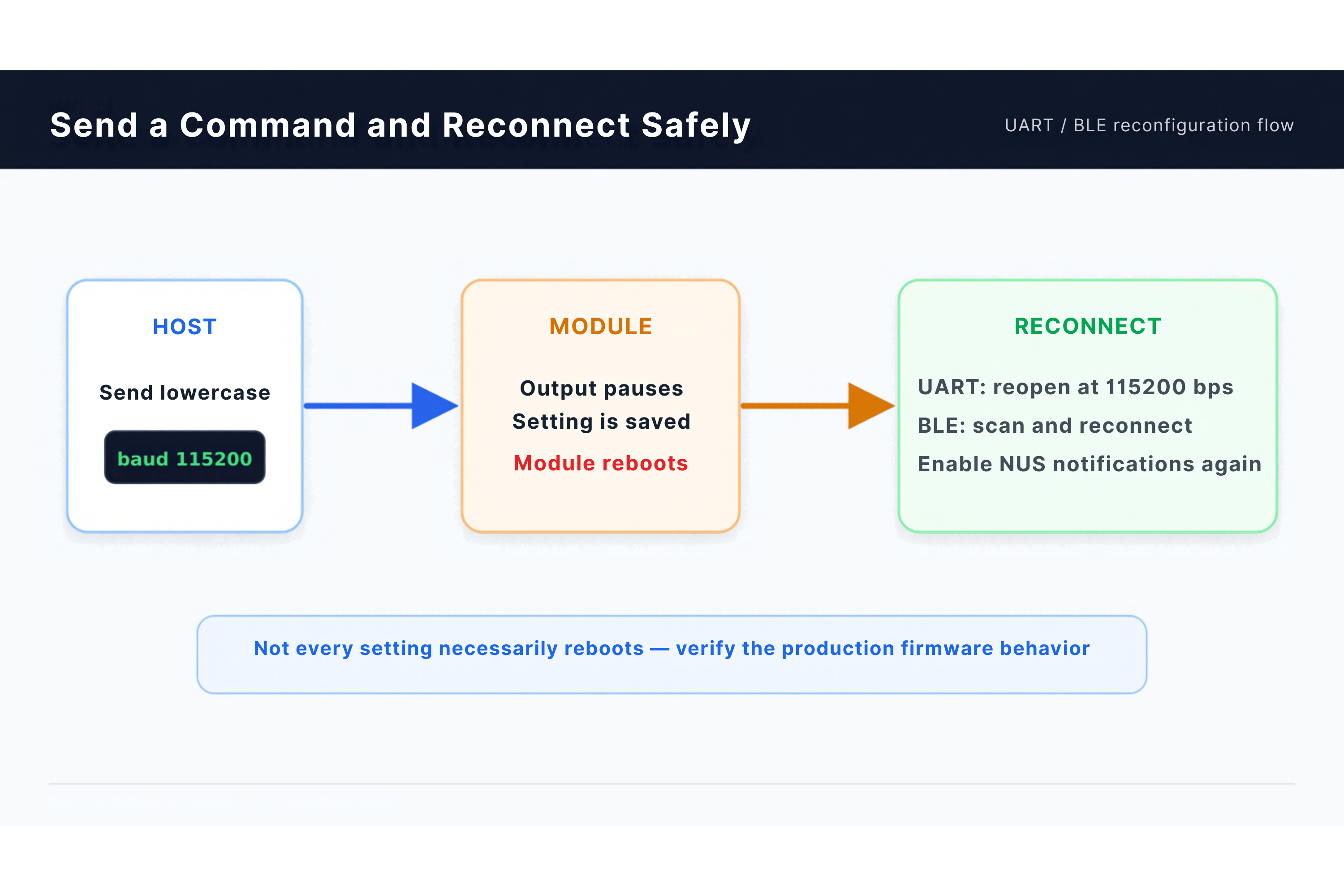
baud 115200
The manual says the setting is saved, then the module reboots. Reopen the host port at the new rate. If using BLE, reconnect after the reboot.
BLE identity
The supplied manual says:
- Bluetooth 4.0 or later is supported.
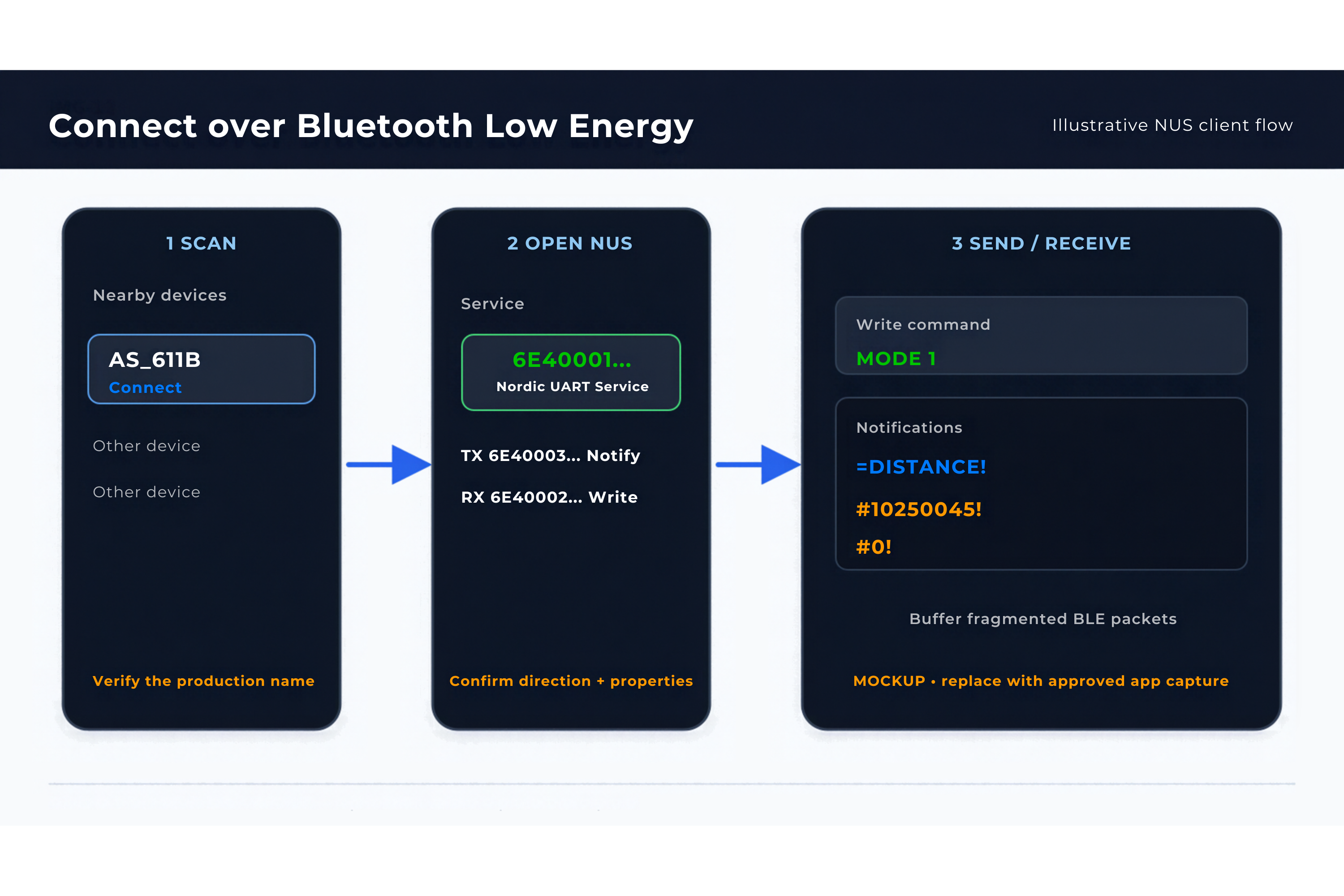
- The advertising name is
AS_611B. - The profile uses the Nordic UART Service.
GATT UUIDs
| Role | UUID |
|---|---|
| Nordic UART Service | 6E400001-B5A3-F393-E0A9-E50E24DCCA9E |
| TX characteristic | 6E400003-B5A3-F393-E0A9-E50E24DCCA9E |
| RX characteristic | 6E400002-B5A3-F393-E0A9-E50E24DCCA9E |
These UUIDs match Nordic's NUS definition. In NUS, TX/RX are named from the peripheral's perspective: the client writes commands to RX (…0002) and subscribes to notifications from TX (…0003). Discover the actual AS-611Bn characteristic properties and permissions before selecting write and notification operations. The manual does not specify its negotiated MTU, fragmentation rules, pairing, bonding, or encryption requirements.
Test with a mobile application
- Power the AS-611Bn.
- Open a BLE scanner or NUS-compatible terminal.
- Find the approved advertising name.
- Connect to the NUS service.
- Enable notifications on the module-to-client characteristic.
- Write a supported lowercase command, such as
stoporstart, with the firmware-confirmed terminator to RX. Choose the write procedure supported by its discovered properties. - Confirm that complete ASCII frames are received.
The supplied manual suggests the UART utility in nRF Toolbox. Use an NUS-compatible client that exposes the required characteristics and notification controls.
Integration rules
- Parse the stream by start and end markers, not by assuming one BLE packet equals one frame.
- Buffer partial frames and handle multiple frames in one notification or UART read.
- Accept the shorter no-target frames.
- A
baudchange is documented to reboot the module; reconnect after that reboot. For other settings, monitor the connection rather than assuming every reconfiguration disconnects BLE. - Record malformed or unknown frames instead of silently treating them as measurements.
Reconfiguration behavior
The manual is inconsistent: its protocol section distinguishes a temporary output pause from a baud-triggered reboot, while the Bluetooth section broadly describes a reboot after changing settings. The exact behavior of each command remains firmware-dependent. After an actual disconnect, reconnect, rediscover the service if needed, re-enable notifications, and establish the current mode before parsing measurements.